

Cheerwing Syma X5HW-I WiFi FPV Drone with HD Camera Live Video Altitude Hold Function 2.4Ghz 4CH RC Quadcopter White
Product details
| Management number | 213547319 | Release Date | 2026/04/12 | List Price | $36.00 | Model Number | 213547319 | ||
|---|---|---|---|---|---|---|---|---|---|
| Category | |||||||||
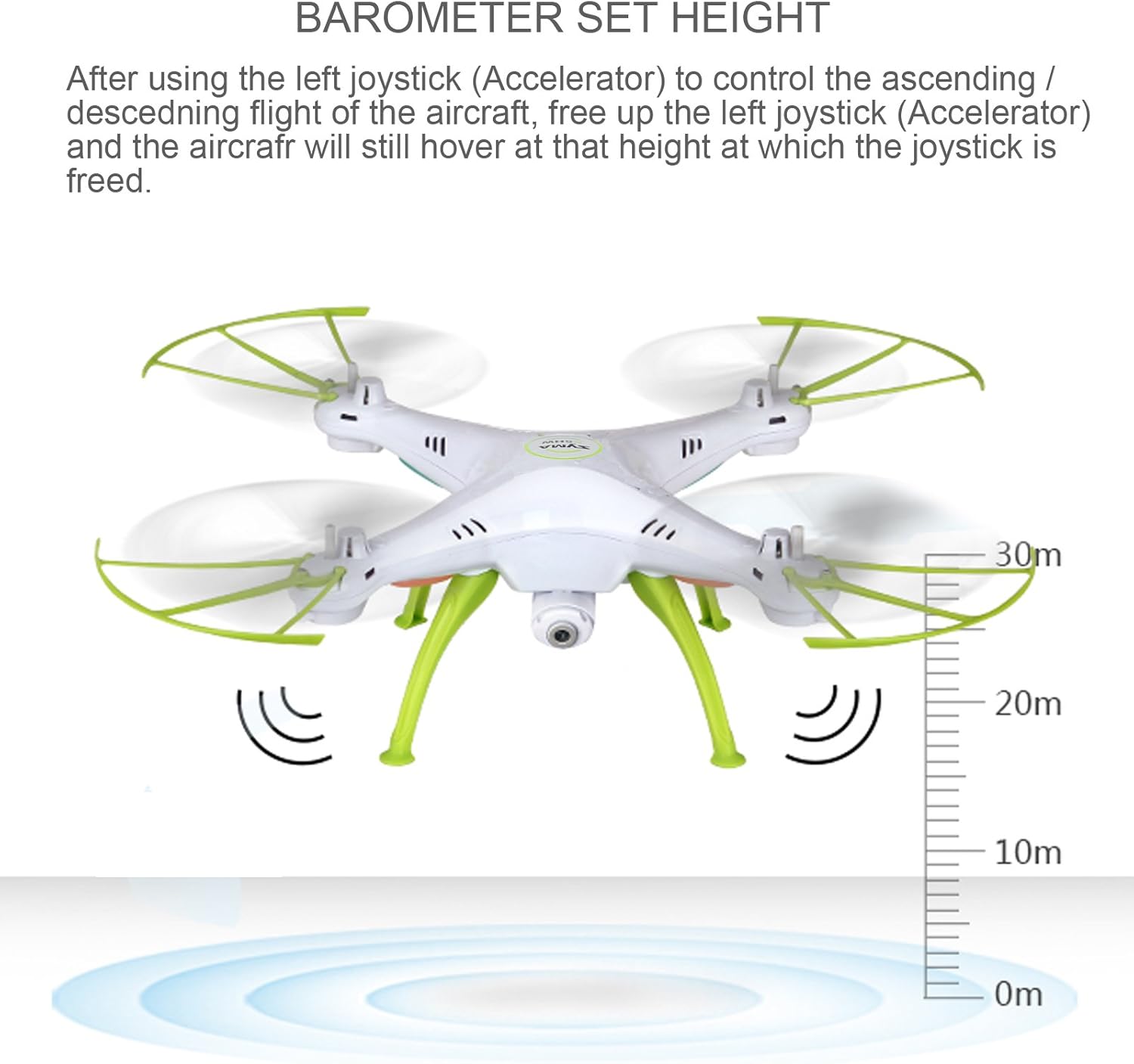
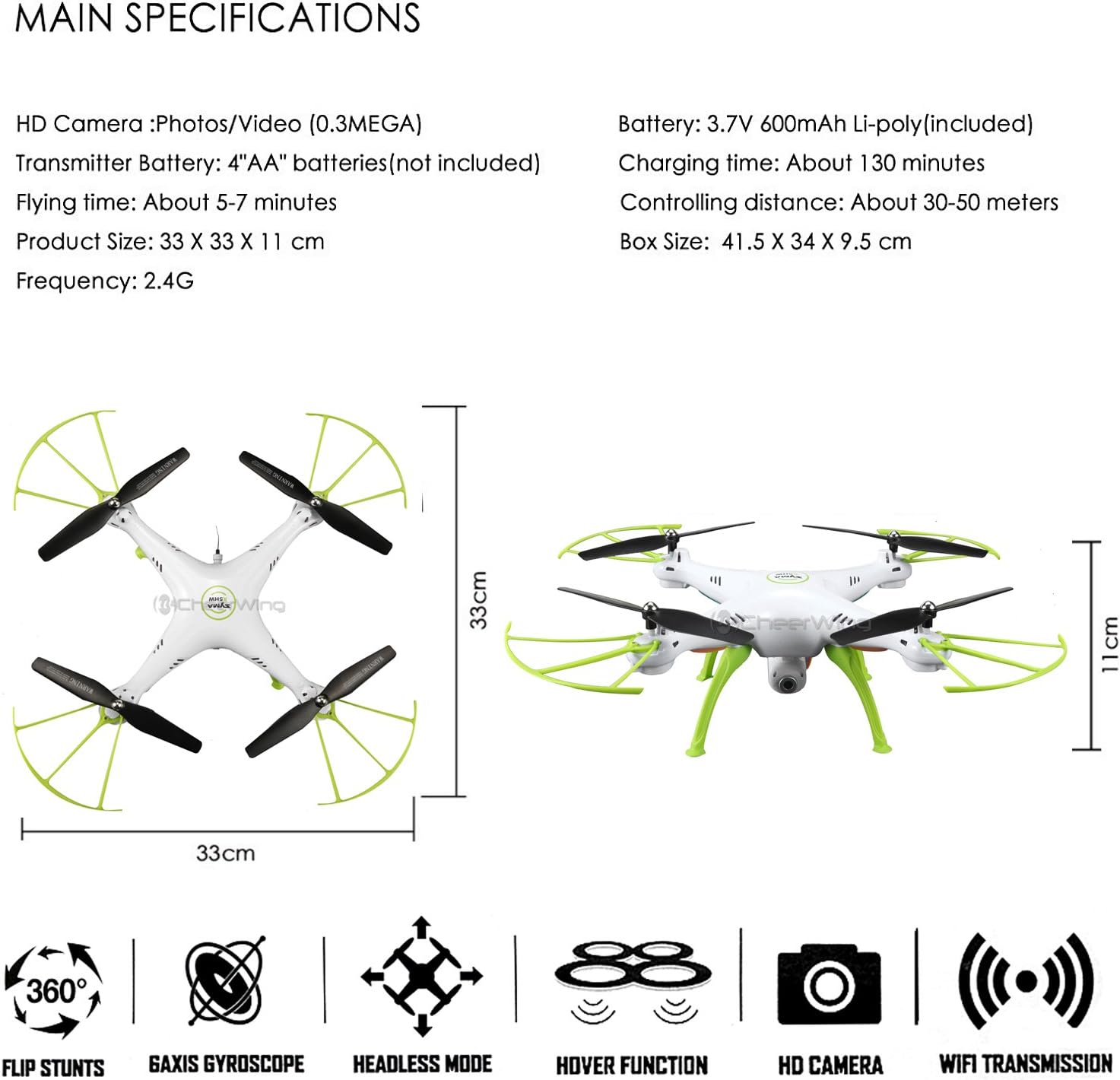
Features: 6-axis gyro based on 4CH ensures a stable and fast flight With Hover / Barometer Set Height Function Capable of 360° 3D rolling, and other technical actions High-definition camera allows for a clear first person view from the sky Support cellphone control from Android Phone and iPhone via Wi-Fi connectivity Headless mode avoids the difficulty of identifying the head and tail when you start to fly Left hand control, ideal for pilots of all skill levels Specifications: Helicopter Size: 33 x 33 x 11 cm Helicopter Weight: 112g HD Camera: Photos / Video ( 0.3 MEGA) Helicopter battery: 3.7V 500mAh Lipo battery (included) Controller battery: 4*1.5V AA Battery (not included) Charging time: about 130 minutes (USB Charging) Flying time: about 5-7 minutes Control distance: About 30-50 meters Support Phone Type: iOS / Android Real-time shooting funtion: Yes Headless mode: Yes Hover Function: Yes Package Includes: X5HW RC Drone Transmitter Wifi Camera Propellers Prop Guard Landing Gear USB Charging Cable Phone Clip Screwdriver FAQ: 1. The drone fail to connect with transmitter. Before binding, make sure battery is full. Then follow the instuction in Page 11 & 12, follow the pictures shown. 2. One or more motors don't work. Drone should stay on a flat surface during the binding and push the throttle to highest point, or the motor is damaged. 3. The drone keeping moving in one direction. Please refer to "Fine-tuning operation" on the page 8, 9, 10 of instruction, try to adjust the quadcopter by pressing on the fine-tuning button.Or, it might be that the motor was damaged . NOTE: Issue: drone does not take off. Solution: Please make sure to match the drone and controller successfully and install the propellers on right position. Issue: The drone doesn't work properly or go sideways. Solution: Make sure the transmitter is in Mode 1 or Mode 2, refer to the "Aircraft operation guidance" on page 7 in instruction manual. Reset the drone, following the instruction of "Level calibration function" on page 13: Place the aircraft on the ground, push both left and right joysticks to the lower right corners and stay for 2-3 seconds. Issue: The drone could not be controlled or fail to connect with transmitter. Solution: Before binding, make sure the battery is full. Then follow the instruction in Page 11 & 12, follow the pictures shown
| UPC | 720260626870 |
|---|---|
| Color | 995 Mbps |
| Brand Name | Cheerwing |
| Media Type | SD |
| Model Name | Syma X5HW I |
| Item Weight | 2 Pounds |
| Part Number | X5HW-Green |
| Skill Level | Beginner |
| Control Type | control,rc |
| Manufacturer | OptiCover |
| Maximum Range | 200 Meters |
| Battery Capacity | 500 Milliamp Hours |
| Special Features | app-controlled, integrated-camera, wi-fi |
| Age Range Description | Adult |
| Are batteries included | Yes |
| Connectivity Technology | Wi-Fi |
| Battery Cell Composition | Lithium Polymer |
| Video Capture Resolution | 480p |
| Item Dimensions L x W x H | 12.99"L x 12.99"W x 4.33"H |
| Effective Still Resolution | 2 MP |
| Wireless Communication Technology | Wi Fi |




Bestseller ranking
Quadcopters & Multirotors




Correction of product information
If you notice any omissions or errors in the product information on this page, please use the correction request form below.
Correction Request Form